For Futures & Prop Firm Traders

Two ways to trade every session open.

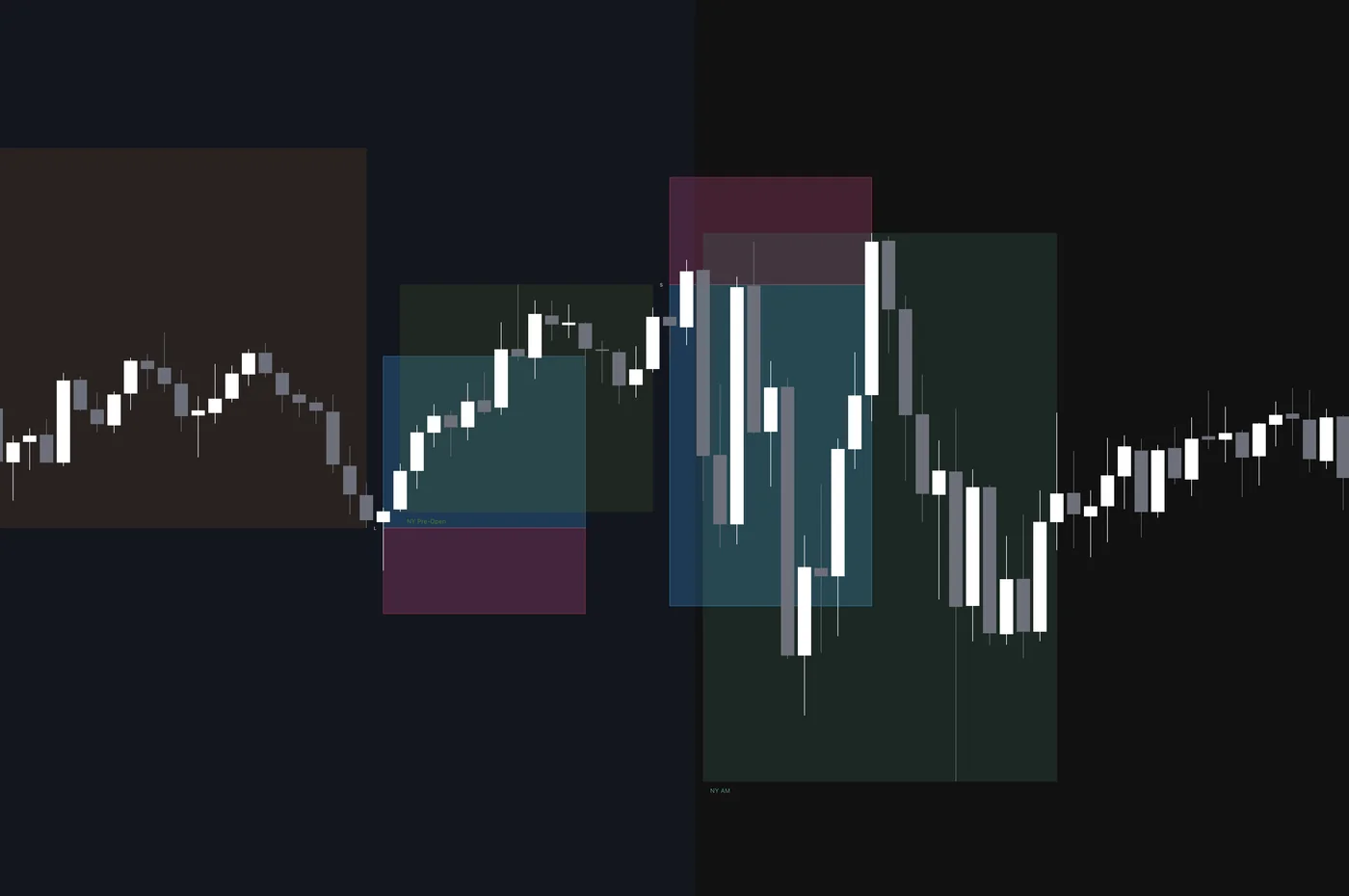
Quantum STS marks each session's levels, then gives you two mechanical edges off them — fade the fakeout or ride the breakout — with entry, stop, and target drawn before price arrives.

Built by a trader, for traders who value a systematic approach.
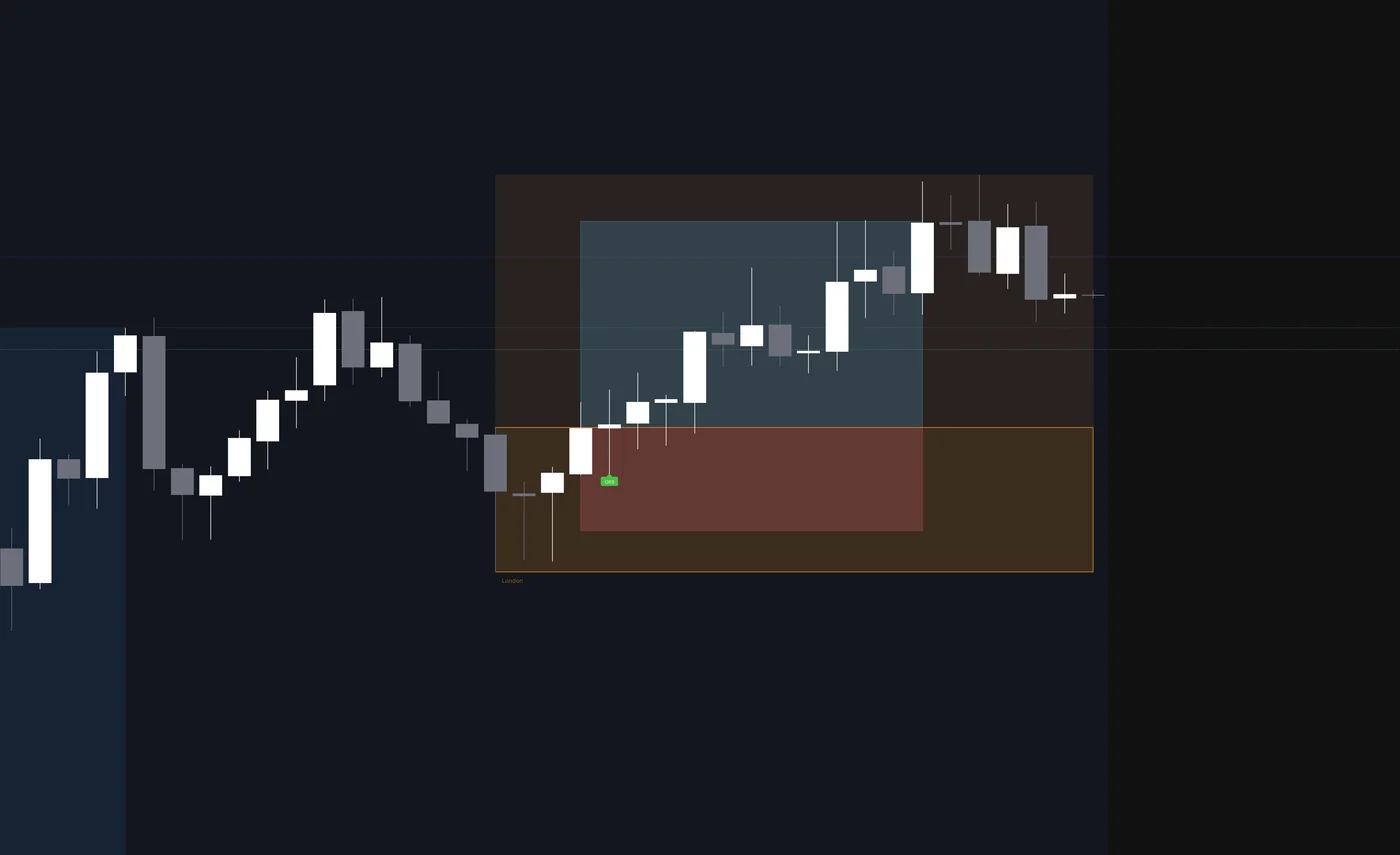
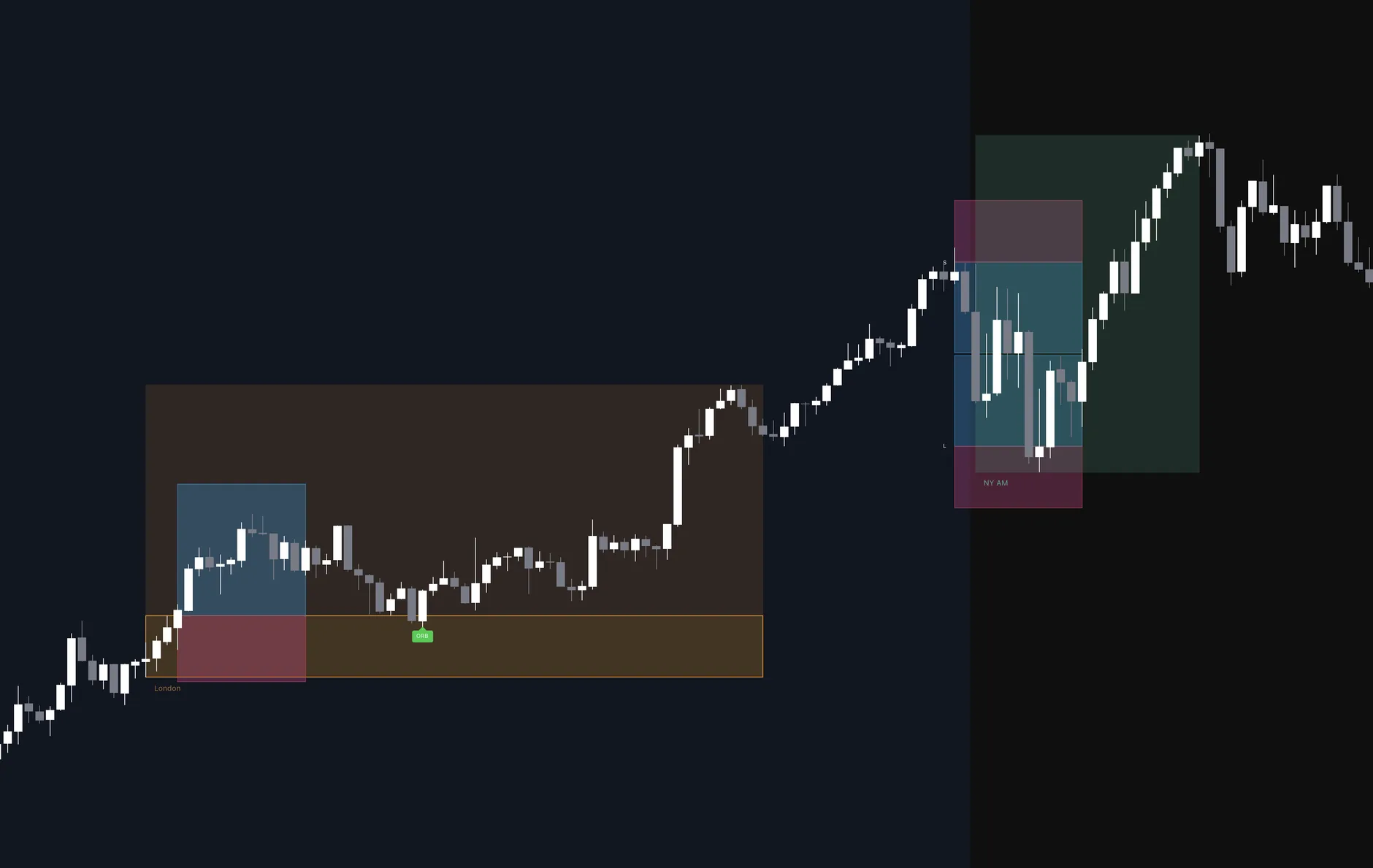
Quantum STS session levels, Opening Range, and R:R boxes on a futures chart
The Problem

The session open is where challenges die.

Price sweeps a session high or low, takes out your stop, then reverses and runs without you. It happens at the same times every day — and it's where most prop challenges quietly fall apart.

01

The fakeout

The big players push price just past the level to trigger stops, then reverse. You're out at the exact wrong spot.

02

The chase

You jump back in late, widen your stop, and break your own rule — right when the real move starts.

03

The blown limit

A few of those and your drawdown limit is gone. The challenge fee with it. No plan, no edge, just reacting.

The Solution

One session map. Two edges.

Quantum STS marks each session's high and low, then gives you two mechanical ways to trade off them — and draws the full trade before price arrives.

Edge 1 · Fade the fakeout

Price sweeps past a session high or low to grab stops, then snaps back. Rest a limit at the level and catch the reversal.

Edge 2 · Ride the breakout

Price breaks the first range after the open and runs. Enter the break or retest, exit on a fixed target or when the trend flips.

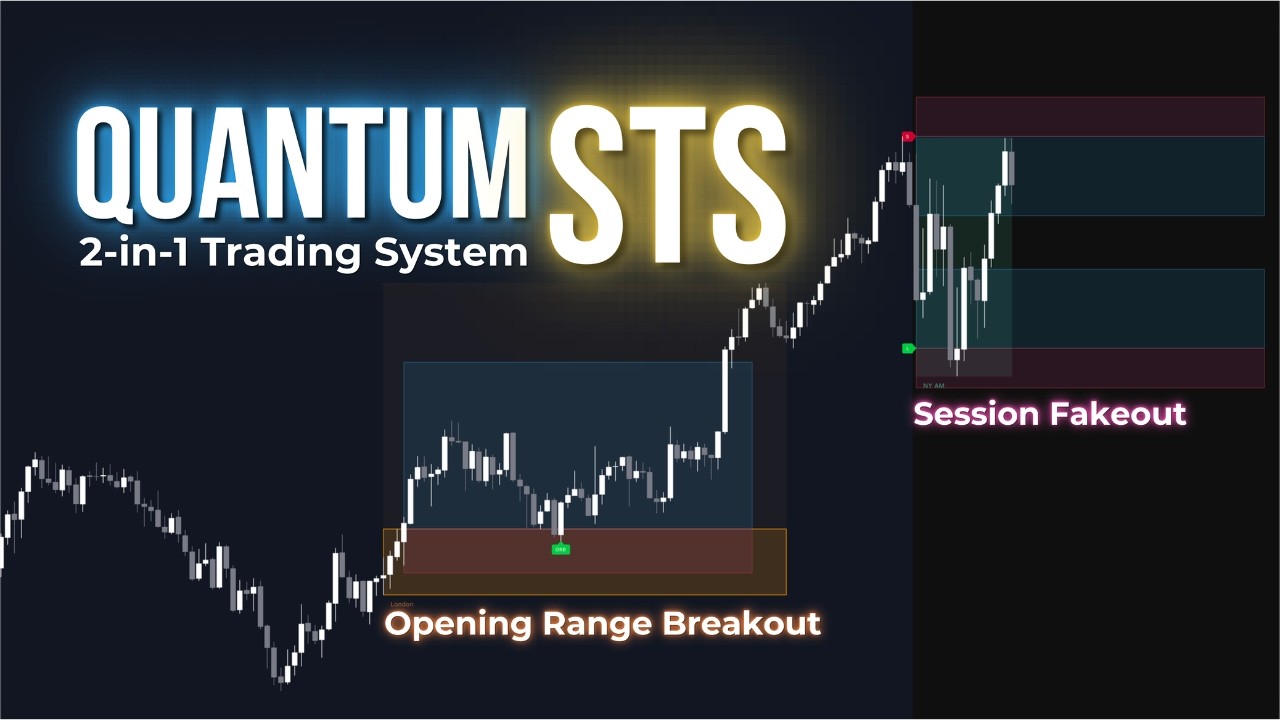
Session fakeout — sweep past the level and reverse
Opening Range Breakout — price breaks the first range after the open and runs
1

Levels drawn from the last session

When a session closes, its high and low set the entry levels for the next one — automatically, across all five sessions.

2

R:R box painted before price arrives

Each level gets a take-profit zone and a stop zone, sized your way. The whole trade is laid out in advance — nothing to calculate in the moment.

3

Rest your order, let alerts fire

Drop a limit at the level and walk away, or read the chart and time it yourself. Alerts tell you the moment price hits.

Backtest Results

Validate it before you risk a cent.

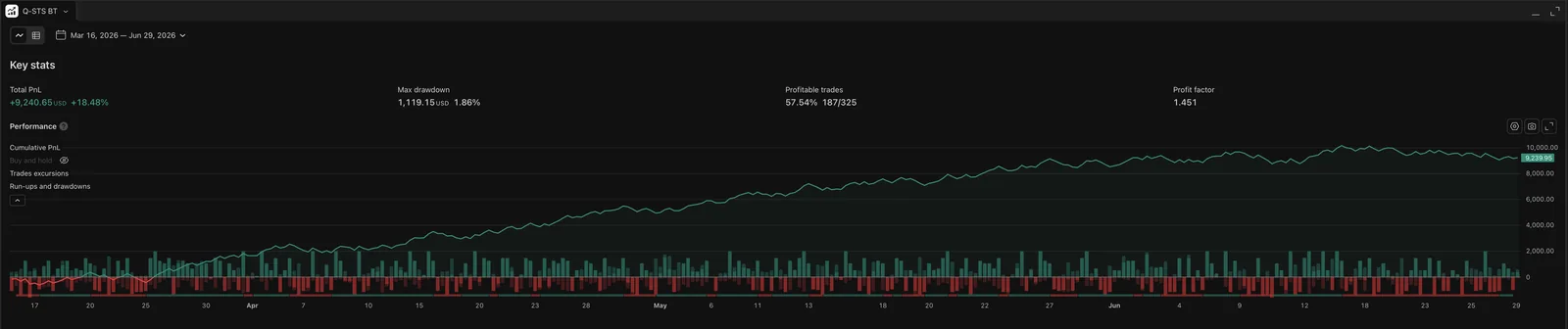
Every Quantum STS license includes the Q-STS Backtester — the same logic, run on historical bars. So you can see your drawdown profile before a challenge, not during it. Here's a recent run with optimised settings:

1.86%
Max drawdown
$1,119
1.45
Profit factor
gross win ÷ loss
57.5%
Win rate
187 of 325 trades
+18.48%
Net return
+$9,241
Instrument: Micro Nasdaq (MNQ) Timeframe: 5-minute Mode: Combined — session fakeouts + ORB retest Period: Mar 16 – Jun 29, 2026 Sample: 325 trades
Q-STS Backtester — MNQ, Mar 16 to Jun 29 2026: +$9,241 net (+18.48%), 1.45 profit factor, 57.5% win rate, 1.86% max drawdown

Past results don't guarantee future performance. Markets change, and your numbers will vary with your settings and instrument. The defaults are sized for MNQ — re-tune your stop and target before trading anything else. This is a tool to test and execute a plan, not a promise of profit.

What You Get

Two tools, one connected system.

Quantum STS indicator

Live session levels, R:R boxes drawn ahead of price, the Opening Range breakout, trend ribbon, VWAP, and key levels — every module with its own on/off switch.

Q-STS Backtester

Run the same rules on history. Test your stop and target, compare fixed vs ATR sizing, and see your drawdown before you go live.

Bot-ready alerts

Named alerts for session starts, levels drawn, level touches, Opening Range breaks, and VWAP crosses — with price context, ready to wire to a webhook.

Setup guides & Discord

A clear walkthrough to get configured for your instrument, plus a community to ask questions and compare settings.

Free updates

Every improvement and new module ships to you at no extra cost while you're subscribed.

Five configurable sessions

Asia, London, NY Pre-Open, AM, and PM — each with its own times, colours, and R:R. Trade one window or the whole cascade.

Defaults are sized for Micro Nasdaq (MNQ). It's a system you tune to your instrument, not a turnkey win — expect to spend time in the backtester first.
4.9★ from active traders

What traders say.

★★★★★

"Really solid indicator. The process-oriented approach helps massively with managing emotions and staying disciplined. Top-tier support too."

Christian
TradingView User
✓ Verified
★★★★★

"Having the risk laid out before the trade triggers completely changed how I sit through the session open. No more guessing my stop."

Discord Member
Active Community User
✓ Verified
★★★★★

"Good indicator. Does exactly what I need."

Josh_K
TradingView User
✓ Verified
Get Access

Start trading with a plan.

$56/mo
~$1.87/day · billed monthly · cancel anytime
  • Quantum STS indicator
  • Q-STS Backtester
  • Bot-ready alerts
  • Setup guides & Discord
  • Free updates
Get Quantum STS
Cancel anytime · Works on the free TradingView plan
Trade trends too? Get all six tools for the best value. Get Pro Suite
Frequently Asked Questions

Everything You Need to Know

Do I need a paid TradingView plan?+

No. All Quantum STS tools run on the free TradingView plan.

Do I need to be experienced?+

You should understand basic risk, stops, and targets. The tool gives you a rules-based structure, but it's a tool to assist your decisions — not autopilot. Plan to spend time in the backtester learning how your settings behave.

Does it work on instruments other than MNQ?+

Yes. The logic works across futures contracts, but the defaults are point-sized for Micro Nasdaq (MNQ). Review and re-tune your stop and target point values before trading ES, NQ, or anything else — a stop that fits MNQ can be far too tight or too wide elsewhere.

Can I use it with a trading bot?+

Yes. The alerts carry ticker and price context and can be routed to a webhook for popular bot platforms or a custom service.

How do I get access after I buy?+

You'll get an email confirmation. Reply with your TradingView username and access is granted within 24 hours — the tools appear in your "Invite-Only Scripts" folder on TradingView.

Can I cancel anytime?+

Yes. Cancel whenever you like and you keep access until the end of your billing period.

Do you offer refunds?+

No. You get instant access to proprietary software, so all purchases are non-refundable. Please review the live examples and demo videos carefully before you buy.

Is this guaranteed to make me money?+

No. Trading carries real risk and you can lose money. Backtests show how settings behaved historically, not what will happen next. Use proper risk management and never trade money you can't afford to lose.

You don't have to watch the screen all day.

Check the chart before your session opens or the Opening Range forms, set your alerts, place your order, and walk away until the next one. Trade a single session or run them all — whatever your backtest supports.

Get Quantum STS

Join our community

Connect with other traders, get support, and stay updated

Join our Discord